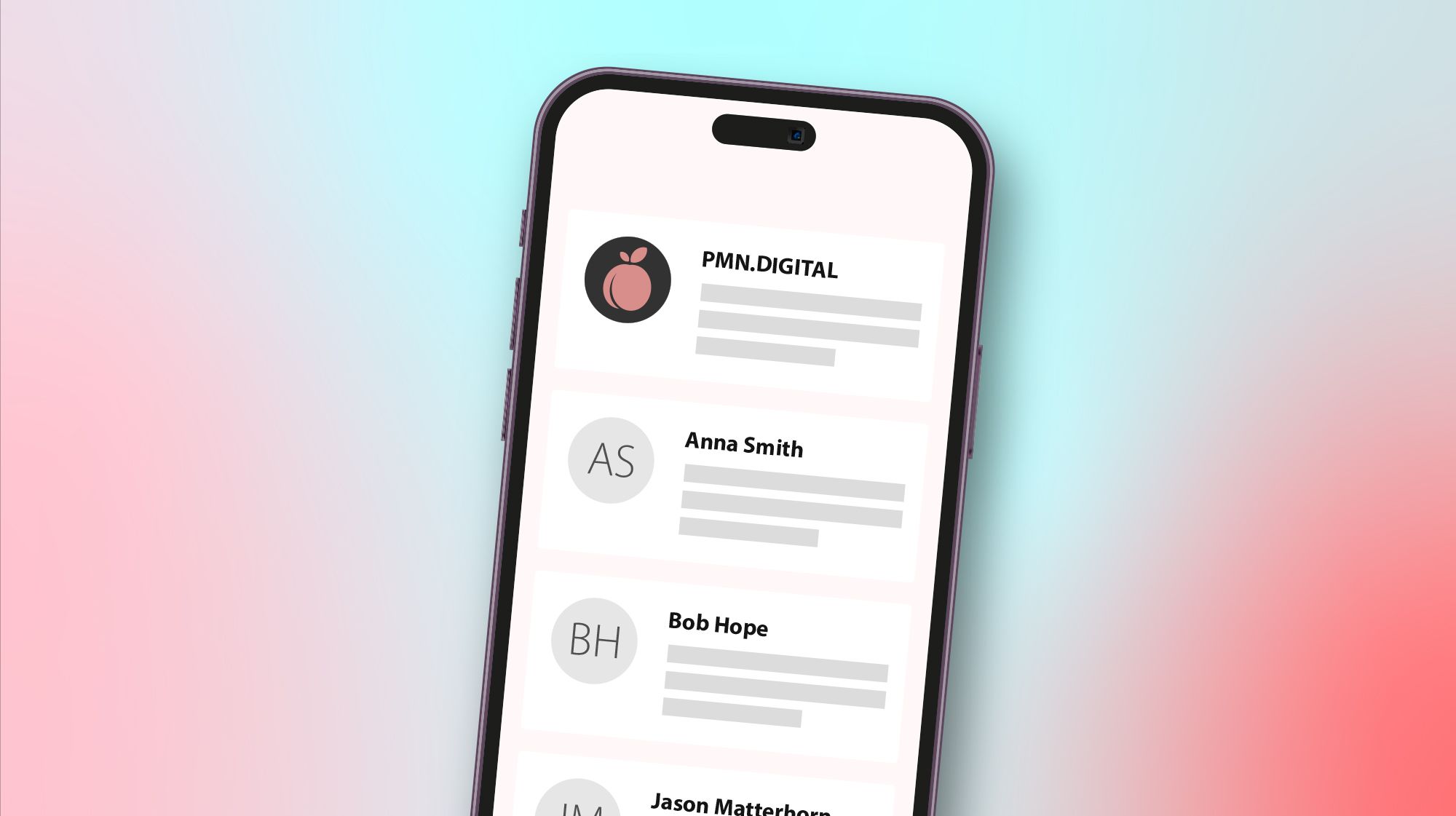

Elevate your email game: how verified logos boost deliverability and strengthen trust
From BIMI to Apple Business Connect and Outlook verification, discover proven strategies to increase brand trust and ensure your messages reach the inbox.

Brands that take privacy seriously rely more and more on direct communication, and that mostly means email. Inboxes are overflowing and phishing scams are everywhere, so email branding and authentication have never mattered more. When your company logo appears next to your messages, and the inbox can show that it has been verified, recipients recognize at a glance that the email really comes from you. A familiar logo makes people more likely to open and interact with what you send, and the authentication behind it gives email providers a reason to put your messages in the inbox rather than in the spam folder.
There are several ways to get there. BIMI is the industry-wide standard, Apple has its own program, Outlook has its own rules, and there are simpler options besides. Here is how each of them works.
BIMI: Brand Indicators for Message Identification
BIMI (Brand Indicators for Message Identification) is an emerging industry standard that puts your verified logo next to your emails in participating inboxes such as Gmail, Yahoo and Fastmail. It builds on email authentication you should have anyway: a valid DMARC (Domain-based Message Authentication, Reporting, and Conformance) policy in enforcement mode, meaning p=quarantine or p=reject, with SPF (Sender Policy Framework) and DKIM (DomainKeys Identified Mail) correctly configured.
On top of that you need your logo as an SVG file, formatted the way the BIMI guidelines describe, and ideally a Verified Mark Certificate (VMC), which further authenticates that you own the trademark and the brand assets. The BIMI Group lists DigiCert, GlobalSign and SSL.com as issuers, and Sectigo, which took over Entrust’s certificate business, sells them too, at list prices of roughly $1,300 to $1,500 a year. For some mail services a VMC is not mandatory in order to display a logo: Gmail also accepts a cheaper Common Mark Certificate (CMC), but it shows a blue checkmark only next to senders verified with a VMC. So it is highly advisable to get a Verified Mark Certificate.
Once you have all of that, you publish a BIMI record in your DNS. From then on, when your emails pass DMARC checks, participating email clients display your approved logo, and recipients know the message is genuinely from your brand.
Benefits of BIMI
As BIMI adoption grows, your logo appears in more and more email clients. A verified logo also helps recipients tell your real messages from phishing attempts, and it reinforces your brand identity with every message that lands in the inbox.
Apple’s email branding: Business Connect
Apple Mail supports BIMI on iOS 16, iPadOS 16 and macOS Ventura or later. Apple also offers its own program, Branded Mail, through Apple Business Connect (now part of Apple Business).
It starts with proving that you are the official owner of the business. Apple verifies your organization with two methods, chosen from a business ID (such as a D-U-N-S Number), a DNS record and an official document upload, and this can take up to five business days. You then verify your email domain with a DNS record, and Apple reviews your brand and logo, which can take up to seven business days. Your mail server also needs a DMARC policy of quarantine or reject, and your emails must be signed with DKIM.
Through Business Connect you submit an image of your brand’s logo and your business details. These can appear on Apple Maps, in Siri responses and, most importantly here, in Apple Mail, where a verified sender’s logo may be shown. The branding is exclusive to Apple’s Mail app on Apple devices and iCloud Mail on the web, so it is a valuable tool if a large share of your customers use Apple devices.
Benefits of Apple Business Connect
If your audience is heavily on Apple devices, you gain immediate trust in the native Mail app. Your Apple Maps listing, your Siri responses and your email branding also line up into one consistent presence.
Microsoft Outlook: verified logos and BIMI
Microsoft has not adopted BIMI in Outlook yet. It has not announced BIMI support for Outlook.com, and its own documentation lists Google, Fastmail and Yahoo, not Outlook, among the providers that display BIMI logos. What Outlook does have are requirements and tools for senders. Since 2025, Outlook.com has required SPF, DKIM and DMARC from domains sending more than 5,000 emails a day, so the groundwork for BIMI also helps your messages reach Outlook inboxes. Microsoft also offers senders the Junk Email Reporting Program (JMRP) and Smart Network Data Services (SNDS) to monitor complaints and sender reputation. They don’t display a logo, but they help you keep the authentication and reputation that inbox placement depends on.
If you use Dynamics 365 Customer Insights – Journeys (formerly Dynamics 365 Marketing), you can set up BIMI for the emails it sends and embed logos and brand elements in your email templates. Template logos are not header-level logos like BIMI or Apple’s verified logos, but they still give the email body a consistent branded look.
Other considerations & platforms
Yahoo, Gmail, and Fastmail
Yahoo and Gmail are among the earliest adopters of BIMI, and Fastmail supports it too. If your brand has implemented BIMI correctly, your logo will appear in all of these inboxes.
Email Service Providers (ESPs)
Popular ESPs such as Mailchimp, SendGrid and Campaign Monitor don’t provide inboxes for incoming mail, but they can help you set up DMARC and prepare for BIMI. Check whether yours offers tools or guidance that make the authentication process easier.
Manual branding
Even if you’re not ready to set up BIMI or other verification methods, you can put your logo in the email body itself, in the header design or the signature block. It doesn’t provide the same level of verification, but it still keeps your branding consistent.
Conclusion
Email continues to be a primary channel for customer engagement, and strong authentication combined with visible brand elements is what builds trust and boosts deliverability. Start with BIMI: it is the broadest standard, and it gets your verified logo into Gmail, Yahoo, Apple Mail, Fastmail and more. If a good share of your audience uses Apple devices, add Apple’s Branded Mail. Outlook doesn’t show BIMI logos yet, but it requires SPF, DKIM and DMARC from bulk senders, and JMRP and SNDS help you watch your reputation with Outlook users. Every major email provider has its own features, and aligning with them helps your brand stand out everywhere.
Authenticate your domain properly, secure a Verified Mark Certificate and register for Apple’s Branded Mail, and your company will look legitimate and consistent in most inboxes. Your recipients get a better experience, and your messages are more likely to land reliably in the inbox, which boosts engagement and loyalty.
Want your logo to stand out in every inbox? Contact us and we’ll help you put these strategies in place.